Python Installation and Setup
1. How to install Python 3.7 or 3.9
Python 3.7 will be used throughout the training. It was released in June 2018 and is a stable, widely used version of the language. Recently the available version of Python in the ServiceNow catalog has become 3.9.0 this version will also work for these exercises.
-
Go to Service Catalog in ServiceNow
-
Search for and “python” and select “Python Software Foundation Python 3.9.0 (64bit)”
-
Choose the correct machine to install on and the current date and click “Submit”
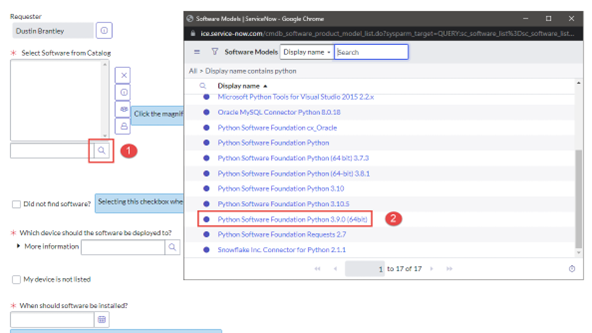
4. Python Installation will be put in Automation Queue and should be installed within the hour (may require a restart)
5. Once installed you will see Python37 or Python39 installed in Program Files:
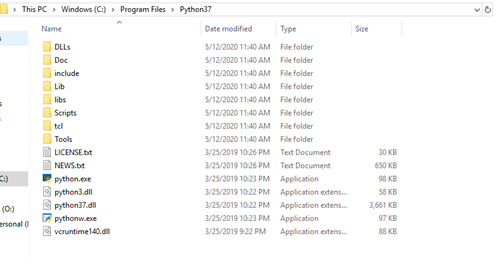
6. Python is now installed on your machine
2. Installing an interpreter
- We will use Microsoft Visual Studio Code in this training but there are many different interpreters you can use. (Anaconda, Jupyter, Pycharm, Spyder, etc.)
-
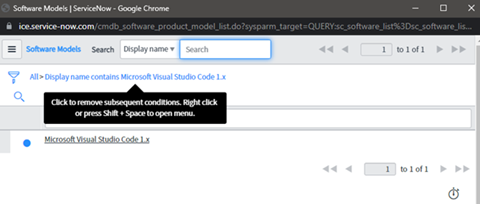
Install the interpreter from the service catalog (Microsoft Visual Studio Code 1.x recommended)
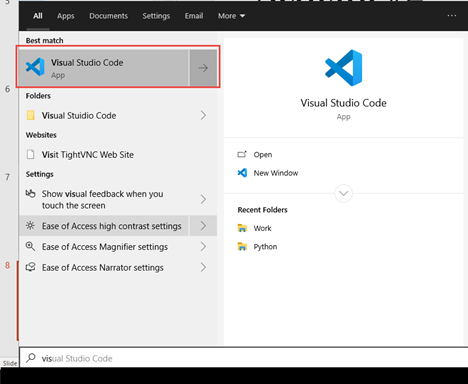
3. Search for Microsoft Visual Studio Code in the Windows search bar and confirm that it has been installed