Purpose
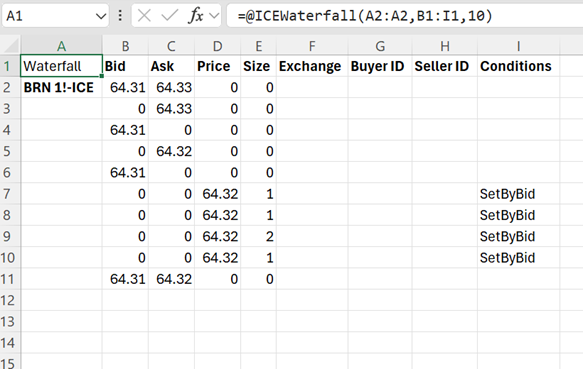
The purpose of the Waterfall feature in ICE XL is to present streaming filterable data across tick-level fields such as Bid, Ask, and trade information.
Waterfall User Interface
OUTPUT
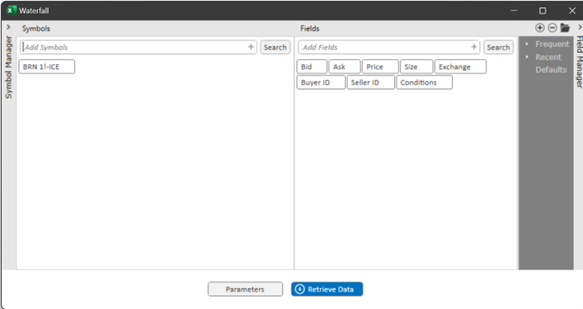
| Symbols | Symbols selected to be added to the Waterfall Table. |
| Add Symbols | Enter symbols to be added and click , you can click the to access symbol search dialog |
| Fields | Fields selected to be added to the Waterfall table. |
| Add Fields | Select Add Fields to add access a list of field available for the Waterfall |
| Parameters | Select Parameters to access user customized options for your Waterfall Table |
| Retrieve Data | Select Retrieve Data to execute and build your Waterfall Table within your Excel sheet |
| Symbol Manager | Select Symbol Manager to expand your library of saved and recently accessed symbols |
| Field Manager | Select Field Manager to expand your library of saved field groups |